
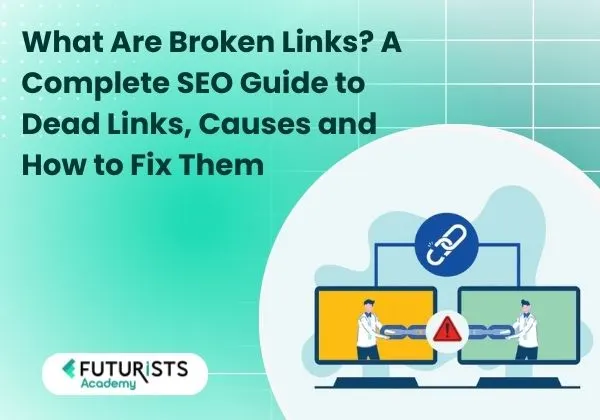
Learn what are broken links, why dead links harm SEO, why do links get broken, and how to find broken links using a broken links finder or broken links checker free tools. A complete SEO guide.
In today’s digital-first world, websites rely heavily on links to guide users, share information, and build authority. Links are the backbone of website navigation and search engine optimization. However, when links stop working, they create serious technical and SEO problems. This is where understanding what are broken links becomes extremely important for website owners, bloggers, digital marketers, and SEO professionals.
This in-depth guide explains what are broken links, the concept of dead links, Why do links get broken, and How to Find Broken Links using reliable tools such as a broken links finder or a broken links checker free solution.
By the end of this article, you will have complete clarity on how broken links affect your website and how to manage them effectively.
What Are Broken Links?
To fully understand what are broken links, let us start with the basics. A broken link is a hyperlink that fails to take users to the intended destination. When someone clicks on such a link, they often encounter error messages like 404 Page Not Found, 410 Gone, or Server Not Responding.
In simple terms, what are broken links refers to hyperlinks that no longer work because the target page is unavailable, removed, moved, or inaccessible. These broken links can exist within your own website (internal links) or point to other websites (external links).
Broken links are also commonly referred to as dead links, a term widely used in SEO and web development.
What Are Dead Links?
Dead links are links that lead to web pages that no longer exist or cannot be reached. When users click on dead links, they are taken to error pages instead of useful content. This creates frustration and reduces trust in your website.
From an SEO perspective, dead links signal poor website maintenance. Search engines view websites with too many dead links as unreliable, which can negatively impact rankings. Therefore, understanding what are broken links also means recognizing the long-term damage caused by dead links to both user experience and search visibility.
Types of Broken Links
To better understand what are broken links, it is important to know the different types commonly found on websites.
1. Internal Broken Links
These links point to pages within the same website that no longer exist or have been moved without proper redirection.
2. External Broken Links
These links point to external websites where the destination page has been deleted, moved, or the domain is no longer active.
3. Broken Image Links
When an image file is deleted or its location changes, the image fails to load, resulting in a broken link.
4. Broken Anchor Links
These links fail to navigate users to the correct section within a webpage.
Each of these contributes to dead links and negatively impacts user experience and SEO performance.
Why Do Links Get Broken?
A very common and important question website owners ask is: Why do links get broken? There are several reasons behind this issue.
1. Website Redesign or URL Changes
When a website’s structure changes and old URLs are not redirected, links stop working. This is one of the most common reasons why links get broken.
2. Deleted or Moved Content
If a page is removed without proper redirection, any link pointing to it becomes a dead link.
3. Domain Expiry or Website Shutdown
When an external website shuts down or its domain expires, all links pointing to it turn into broken links.
4. Typographical Errors in URLs
Even a minor spelling mistake in a URL can cause broken links, which explains why links get broken frequently during manual content uploads.
5. Server or Hosting Issues
Temporary or permanent server problems can make links inaccessible.
6. Changes on External Websites
External websites often update or remove content without notice, making this another major reason why links get broken.
Why Broken Links Are Harmful for SEO
Understanding what are broken links is critical because broken links directly affect search engine optimization.
Negative Effects of Dead Links on SEO:
- Poor user experience
- Increased bounce rate
- Reduced crawl efficiency
- Loss of link authority
- Lower search engine rankings
Search engines like Google prioritize websites that provide smooth navigation and reliable content. Too many dead links signal neglect and reduce overall credibility.
How to Find Broken Links on a Website
Knowing How to Find Broken Links is essential for maintaining a healthy website. There are two primary methods.
Manual Checking
This involves clicking on each link individually. While this may work for very small websites, it is inefficient and impractical for larger sites.
Automated Tools
The most effective approach is using a broken links finder tool that automatically scans your website and identifies broken URLs.
Learning How to Find Broken Links efficiently saves time, improves accuracy, and helps maintain SEO health.
Best Broken Links Finder Tools
A broken links finder is a tool designed to crawl your website and detect links that return error codes such as 404 or 500.
Benefits of Using a Broken Links Finder:
- Faster website scanning
- Accurate error detection
- Identification of internal and external dead links
- Detailed reports for quick fixes
Using a broken links finder regularly helps maintain strong SEO performance and user trust.
Broken Linksm Checker Free: Are Free Tools Reliable?
Many website owners prefer using a broken links checker free tool, especially when managing small or medium-sized websites.
A broken links checker free tool typically allows you to:
- Scan a limited number of pages
- Detect common dead links
- Identify error types such as 404 or 500
While paid tools provide advanced features, a broken links checker free solution is often sufficient for routine website maintenance.
How to Fix Broken Links Effectively
Once you understand what are broken links and identify them, fixing them becomes the next essential step.
1. Update the Link URL
Replace the broken link with the correct and active destination.
2. Use 301 Redirects
Redirect old URLs to relevant new pages to preserve SEO value.
3. Remove Dead Links
If no suitable replacement exists, remove the broken link entirely.
4. Replace with Relevant Resources
Substitute dead links with updated, authoritative, and relevant content.
Best Practices to Prevent Broken Links
Preventing broken links is easier and more effective than fixing them later. Best practices include:
- Conducting regular website audits
- Using a broken links checker free tool monthly
- Monitoring external links carefully
- Implementing redirects during site updates
Understanding why links get broken allows you to take proactive preventive measures.
Importance of Regular Link Audits
Regular link audits help you:
- Maintain website credibility
- Improve user experience
- Enhance SEO rankings
- Reduce crawl errors
Knowing How to Find Broken Links and fixing them consistently ensures long-term website success.
Final Thoughts: Managing Broken Links for Better SEO Performance
Understanding what are broken links is a fundamental aspect of effective website management and search engine optimization. Broken links, also known as dead links, negatively impact user experience, search engine rankings, and overall website credibility.
By understanding Why do links get broken, learning How to Find Broken Links, and using tools such as a broken links finder or a broken links checker free, website owners can maintain a healthy, high-performing website.
Regular monitoring, timely fixes, and preventive strategies ensure that broken links do not hinder your website’s visibility, authority, or long-term growth.
Frequently Asked Questions (FAQs)
1. What are broken links?
What are broken links refers to hyperlinks that no longer direct users to the intended webpage. These links usually lead to error pages such as 404 (Page Not Found) or 410 (Gone). Broken links can occur on both internal pages within a website and external pages linking to other websites.
2. Are broken links and dead links the same?
Yes, broken links and dead links generally mean the same thing. Both terms describe hyperlinks that no longer work or lead to unavailable content. In SEO and web development, the terms are often used interchangeably.
3. Why do links get broken on websites?
There are multiple reasons why links get broken, including deleted pages, website redesigns, URL structure changes, domain expiry, server issues, typing errors in URLs, and changes made on external websites without notice.
4. How do broken links affect SEO?
Broken links negatively impact SEO by creating a poor user experience, increasing bounce rates, wasting crawl budget, and reducing link authority. Search engines may view websites with too many dead links as poorly maintained, which can affect rankings.
5. How to find broken links on a website?
How to Find Broken Links can be done manually for small websites, but the most effective method is using automated tools. A broken links finder scans your website and identifies links that return error codes like 404 or 500, saving time and improving accuracy.
6. What is a broken links finder?
A broken links finder is a tool designed to crawl websites and detect broken or dead links. It provides reports showing which URLs are broken, the type of error, and where the link is located, making it easier to fix issues quickly.
7. Is a broken links checker free tool reliable?
Yes, a broken links checker free tool can be reliable for basic website maintenance, especially for small to medium-sized websites. While free tools may have limitations on the number of pages scanned, they are effective for identifying common broken links and dead links.
8. How often should I check for broken links?
It is recommended to check for broken links at least once a month. Websites that publish content frequently or make structural changes should use a broken links checker free or premium tool more often to maintain SEO health.
9. How can broken links be fixed?
Broken links can be fixed by updating the URL, setting up 301 redirects, removing the dead link, or replacing it with relevant and authoritative content. Fixing broken links helps restore user experience and preserve SEO value.
10. Can broken links be prevented completely?
While it is difficult to prevent broken links entirely, regular audits, proper redirects, careful monitoring of external links, and understanding why links get broken can significantly reduce their occurrence.